Administrator
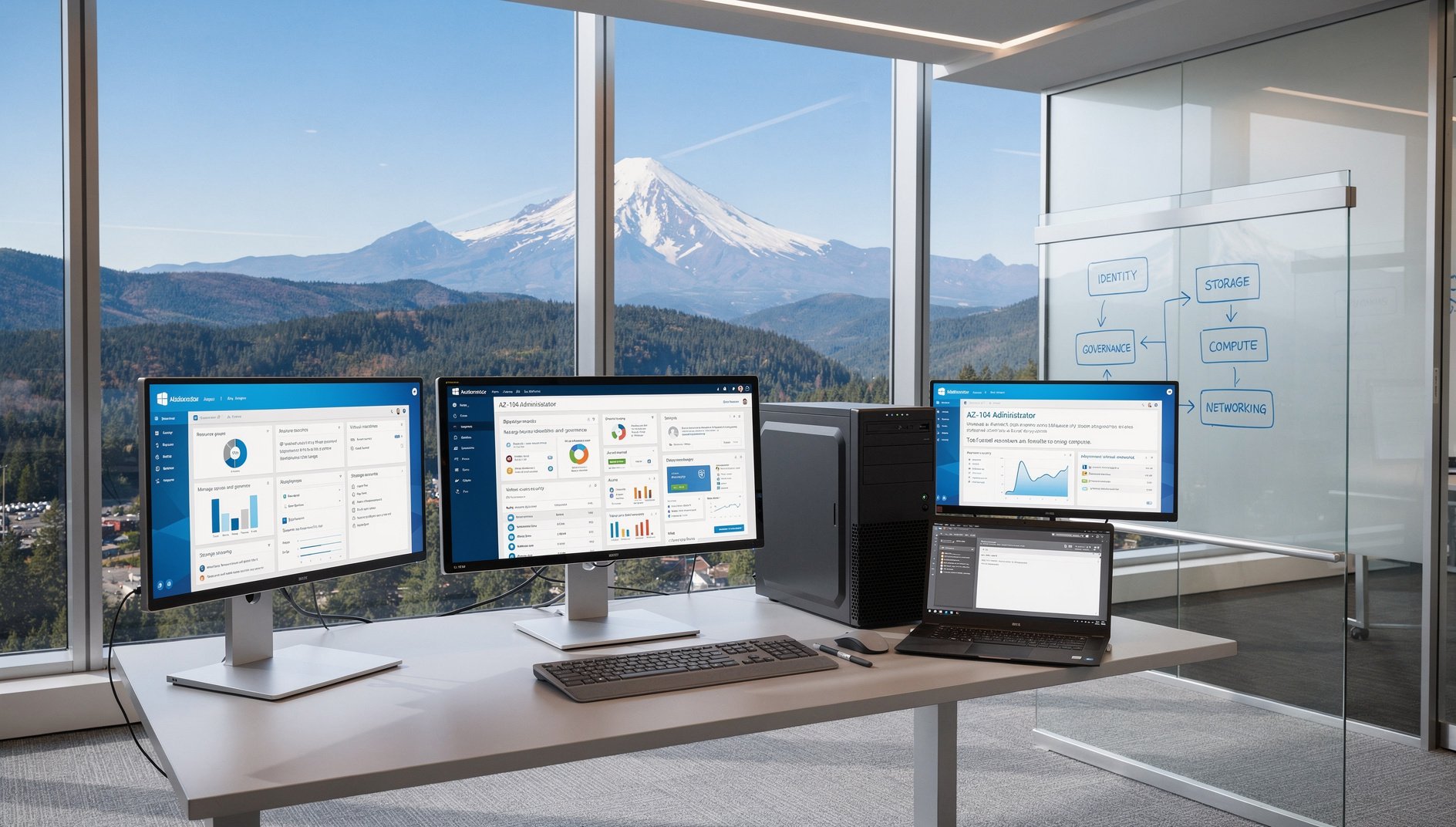
The AZ-104 training equips learners with practical skills to manage Azure identities, governance, storage, compute, and networking, preparing them to administer cloud resources efficiently in production environments.
Who Should Take This
It is ideal for IT professionals, system administrators, or cloud engineers who have foundational cloud knowledge and hands‑on experience with Azure and aim to validate their ability to operate Azure environments at scale. Candidates seeking the Microsoft Certified: Azure Administrator Associate credential will benefit from the focused, role‑based curriculum.
What's Covered
1Managing Microsoft Entra ID users, groups, and roles; configuring Azure Policy, RBAC, resource locks, and management groups for governance.
2Configuring Azure storage accounts, blob storage, file shares, access tiers, replication, and storage security with SAS tokens and access keys.
3Deploying and managing VMs, VM scale sets, Azure App Service, Azure Container Instances, and Azure Kubernetes Service.
4Configuring virtual networks, subnets, NSGs, Azure DNS, VPN Gateway, ExpressRoute, Azure Load Balancer, and Application Gateway.
5Configuring Azure Monitor, Log Analytics, alerts, Azure Backup, and Azure Site Recovery for monitoring and disaster recovery.
Exam Structure
Question Types
- Multiple Choice
- Multiple Response
- Case Studies
- Drag-And-Drop
- Labs
Scoring Method
Scaled score 100-1000, passing score 700
Delivery Method
Proctored exam, 40-60 questions, 100 minutes
Prerequisites
None required. AZ-900 recommended.
Recertification
Renew annually via free Microsoft Learn renewal assessment
What's Included in AccelaStudy® AI
Course Outline
1Domain 1: Manage Azure Identities and Governance 3 topics
Manage Microsoft Entra ID objects
- Identify Microsoft Entra ID core components and explain how tenants, users, groups, administrative units, and device objects organize identity management in Azure.
- Create and configure Entra ID user accounts including bulk creation, guest user invitations, self-service password reset, and user property management for organizational identity administration.
- Configure Entra ID groups with assigned and dynamic membership rules, group nesting, and license assignment to manage access and resource allocation at scale.
- Analyze Entra ID sign-in logs and audit logs to identify authentication failures, risky sign-ins, and group membership anomalies for identity governance troubleshooting.
Manage role-based access control
- Identify Azure RBAC components and explain how role definitions, role assignments, security principals, and scopes (management group, subscription, resource group, resource) control access to Azure resources.
- Assign built-in Azure roles (Owner, Contributor, Reader, User Access Administrator) at appropriate scopes and configure custom role definitions with specific permissions for least-privilege access.
- Analyze effective permissions by interpreting RBAC role inheritance across scopes, deny assignments, and the interaction between Entra ID roles and Azure RBAC roles to resolve access issues.
Manage subscriptions and governance
- Identify Azure governance hierarchy components and explain how management groups, subscriptions, resource groups, and resource-level scoping organize Azure environments for multi-team administration.
- Configure management groups with subscription placement and nested hierarchy to enforce consistent governance policies across multiple Azure subscriptions.
- Implement Azure Policy definitions and assignments with built-in and custom policies, initiative definitions, and remediation tasks to enforce organizational compliance standards.
- Configure resource locks (ReadOnly and Delete), resource tags with tag policies, and cost management budgets with spending alerts to protect resources and control subscription expenditure.
- Analyze Azure Policy compliance results and governance audit trails to identify non-compliant resources, determine remediation priority, and evaluate governance policy effectiveness.
2Domain 2: Implement and Manage Storage 4 topics
Configure storage accounts
- Identify Azure storage account types and explain how general-purpose v2, premium, and legacy accounts differ in performance tiers, redundancy options (LRS, ZRS, GRS, RA-GRS, GZRS), and supported services.
- Create and configure storage accounts with appropriate redundancy, access tier (Hot, Cool, Cold, Archive), and networking settings including service endpoints and private endpoints.
- Implement storage account data management with lifecycle management policies, object replication, and failover procedures to optimize cost and ensure data availability.
- Analyze storage account performance metrics and access patterns to recommend optimal redundancy configurations, access tier transitions, and lifecycle rule adjustments.
Configure Azure Blob Storage
- Identify Azure Blob Storage components and explain how containers, block blobs, append blobs, page blobs, access tiers, and blob versioning organize unstructured data storage.
- Configure blob containers with public access levels, immutability policies, soft delete, versioning, change feed, and data transfer tools (AzCopy, Storage Explorer) for blob lifecycle and migration management.
- Differentiate Azure Blob Storage and Azure Files use cases and evaluate access protocol, performance tier, and hybrid synchronization requirements to recommend the appropriate storage service for a given workload.
Configure Azure Files
- Identify Azure Files capabilities and explain how file shares, SMB and NFS protocols, premium and standard tiers, and Azure File Sync provide cloud-based file storage.
- Create and configure Azure file shares with quota management, snapshots, and Azure File Sync server endpoints to enable hybrid file storage with on-premises tiering.
Configure storage security
- Identify Azure storage security mechanisms and explain how storage account keys, shared access signatures (SAS), stored access policies, and Microsoft Entra ID authorization control access to storage data.
- Configure shared access signatures with service-level and account-level SAS tokens, stored access policies, and SAS expiration to provide time-limited delegated access to storage resources.
- Implement storage encryption with Microsoft-managed and customer-managed keys, configure encryption scopes, and enforce HTTPS-only transport to protect data at rest and in transit.
- Configure storage network security using firewall rules, virtual network service endpoints, private endpoints, and trusted Azure service access exceptions to restrict storage account connectivity.
- Analyze storage access patterns using storage analytics logs and Azure Monitor metrics to identify unauthorized access attempts, SAS token misuse, and recommend security configuration improvements.
3Domain 3: Deploy and Manage Azure Compute Resources 4 topics
Automate deployment of resources using templates
- Identify Azure Resource Manager template components and explain how resources, parameters, variables, outputs, functions, and deployment modes define infrastructure as code for Azure deployments.
- Implement ARM template and Bicep deployments with parameter files, linked templates, modules, template specs, and deployment scopes for repeatable multi-resource infrastructure provisioning.
- Analyze ARM template deployment failures by interpreting deployment operation logs, resolving dependency errors, and determining rollback causes to improve template reliability.
Create and configure virtual machines
- Identify Azure VM components and explain how VM sizes, VM generations, availability sets, availability zones, VM scale sets, and managed disks determine compute capacity and resilience.
- Create and configure Azure VMs with appropriate size selection, OS and data disk configurations, networking interfaces, VM extensions, custom script extensions, and boot diagnostics for production workloads.
- Implement Azure VM availability using availability sets with fault and update domains, availability zones, and VM scale sets with autoscale rules for high availability and elasticity.
- Implement VM managed disk configurations including disk type selection (Standard HDD, Standard SSD, Premium SSD, Ultra Disk), disk encryption, snapshots, and resizing for storage performance optimization.
- Analyze VM performance issues by evaluating compute metrics, disk I/O bottlenecks, and network throughput data to determine right-sizing actions and availability improvements.
Provision and manage containers
- Identify Azure container service options and explain how Azure Container Instances, Azure Kubernetes Service, and Azure Container Registry differ in orchestration complexity, scaling, and use case suitability.
- Deploy Azure Container Instances with container groups, resource requests, restart policies, environment variables, and volume mounts for single-container and multi-container workloads.
- Implement Azure Kubernetes Service clusters with node pools, scaling configurations, pod networking, Container Registry integration, and RBAC for orchestrated container workload management.
- Analyze container deployment scenarios to select between Azure Container Instances and Azure Kubernetes Service based on workload orchestration needs, scaling requirements, and operational complexity.
Create and configure Azure App Service
- Identify Azure App Service components and explain how App Service plans, pricing tiers, runtime stacks, and platform features provide managed web application hosting.
- Create and configure Azure Web Apps with appropriate App Service plan selection, deployment source configuration, application settings, connection strings, scaling rules, and TLS/SSL bindings.
- Implement App Service deployment slots with slot-specific settings, auto-swap configuration, and traffic routing percentages for zero-downtime deployments and A/B testing.
- Analyze App Service diagnostics and deployment logs to troubleshoot application startup failures, slot swap issues, and scaling anomalies for production web application reliability.
4Domain 4: Implement and Manage Virtual Networking 5 topics
Configure virtual networks and subnets
- Identify Azure virtual networking components and explain how VNets, subnets, address spaces, network interfaces, and IP addressing (public and private) provide connectivity for Azure resources.
- Create and configure virtual networks with address space planning, subnet delegation, service endpoints, private endpoints, and network interface configurations for multi-subnet architectures.
- Implement VNet peering with local and global peering configurations, gateway transit, and peering state management to enable connectivity between virtual networks across regions.
- Evaluate VNet design decisions and determine optimal address space allocation, peering topology, and service endpoint versus private endpoint selection for multi-tier application architectures.
Configure name resolution and DNS
- Identify Azure DNS service capabilities and explain how public DNS zones, private DNS zones, record sets, and alias records provide name resolution for Azure-hosted and hybrid environments.
- Configure Azure public DNS zones with record sets (A, AAAA, CNAME, MX, TXT, SRV), alias records for Azure resources, and custom domain name delegation for internet-facing services.
- Implement Azure private DNS zones with VNet links, auto-registration, and conditional forwarding to provide name resolution for resources in virtual networks without custom DNS servers.
- Analyze DNS resolution failures by examining private DNS zone configurations, VNet link status, and record set conflicts to restore correct name resolution in hybrid networking scenarios.
Configure network security
- Identify Azure network security mechanisms and explain how network security groups, application security groups, Azure Firewall, and Azure DDoS Protection control and protect network traffic.
- Implement network security groups with inbound and outbound security rules, priority ordering, service tags, and application security groups to filter traffic between subnets and VMs.
- Configure Azure Firewall with network rules, application rules, NAT rules, threat intelligence-based filtering, and DNS proxy to provide centralized network security for hub-spoke topologies.
- Analyze NSG flow logs and Azure Firewall logs to identify blocked traffic, evaluate security rule effectiveness, and determine rule modifications needed for application connectivity.
Configure load balancing
- Identify Azure load balancing options and explain how Azure Load Balancer (Layer 4), Application Gateway (Layer 7), Front Door, and Traffic Manager differ in scope, protocol support, and routing capabilities.
- Implement Azure Load Balancer with frontend IP configurations, backend pools, health probes, load balancing rules, and inbound NAT rules for Layer 4 traffic distribution across VMs.
- Configure Application Gateway with listeners, routing rules, backend pools, health probes, SSL termination, WAF policies, and URL-based routing for Layer 7 HTTP(S) traffic management.
- Analyze load balancer health probe failures and traffic distribution anomalies to diagnose backend pool connectivity issues, rule misconfigurations, and asymmetric routing problems.
Configure hybrid networking and connectivity
- Identify Azure hybrid connectivity options and explain how site-to-site VPN, point-to-site VPN, ExpressRoute, and Virtual WAN provide connectivity between on-premises networks and Azure.
- Implement VPN Gateway with site-to-site connections, local network gateway configurations, IPsec/IKE policies, and connection monitoring for encrypted on-premises to Azure connectivity.
- Configure ExpressRoute circuits with peering types (private, Microsoft), route filters, and gateway connections to establish dedicated private connectivity between on-premises datacenters and Azure.
- Analyze hybrid connectivity tradeoffs across VPN Gateway and ExpressRoute options to recommend appropriate solutions based on bandwidth requirements, latency sensitivity, reliability needs, and cost constraints.
5Domain 5: Monitor and Maintain Azure Resources 4 topics
Configure Azure Monitor and alerts
- Identify Azure Monitor components and explain how metrics, logs, diagnostics settings, Activity Log, and Azure Monitor Agent collect and organize monitoring data across Azure resources.
- Configure Azure Monitor alert rules with metric-based, log-based, and Activity Log conditions, action groups, and severity levels to detect operational anomalies across services.
- Implement diagnostic settings to route platform metrics and logs to Log Analytics workspaces, storage accounts, and Event Hubs for centralized monitoring and compliance retention.
- Analyze alert patterns and monitoring signal quality to reduce alert fatigue by tuning thresholds, adjusting evaluation periods, and configuring smart alert grouping for operational effectiveness.
Configure Azure Log Analytics
- Identify Log Analytics workspace components and explain how data collection rules, tables, data retention policies, and workspace architecture organize log data for query and analysis.
- Implement Kusto Query Language (KQL) queries to retrieve, filter, summarize, and visualize log data from Azure Monitor Logs for operational troubleshooting and compliance reporting.
- Configure Log Analytics workspace access control, data retention policies, and data collection rules with transformations to manage log ingestion volume and workspace permissions.
Configure Azure Network Watcher
- Identify Azure Network Watcher capabilities and explain how IP flow verify, next hop, connection troubleshoot, NSG diagnostics, and packet capture diagnose network connectivity issues.
- Implement Network Watcher diagnostic tools including IP flow verify, next hop analysis, connection monitor, and NSG flow logs to troubleshoot and validate network connectivity paths.
- Analyze Network Watcher diagnostic results and NSG flow log data to identify misconfigured security rules, routing failures, and latency sources across complex virtual network topologies.
Configure Azure Backup and disaster recovery
- Identify Azure Backup and Site Recovery components and explain how Recovery Services vaults, backup policies, restore points, replication policies, and recovery plans provide data protection and disaster recovery.
- Implement Azure Backup for VMs, Azure Files, and SQL databases with backup policies, scheduled and on-demand backups, retention policies, and restore operations including full VM, disk, and file-level recovery.
- Implement Azure Site Recovery with replication policies, recovery plans, failover testing, and planned failover procedures to enable disaster recovery for Azure VMs across regions.
- Analyze backup and disaster recovery test outcomes against RPO and RTO targets to identify protection gaps, improve recovery procedures, and validate business continuity readiness.
Hands-On Labs
Practice in a simulated cloud console or Python code sandbox — no account needed. Each lab runs entirely in your browser.
Certification Benefits
Salary Impact
Related Job Roles
Industry Recognition
Microsoft Azure certifications are among the most valued in enterprise IT, with Microsoft holding the second-largest cloud market share globally and serving as the dominant platform in enterprise and hybrid cloud environments.
Scope
Included Topics
- All domains and task statements in the Microsoft Azure Administrator Associate (AZ-104) exam guide: Domain 1 Manage Azure identities and governance (20-25%), Domain 2 Implement and manage storage (15-20%), Domain 3 Deploy and manage Azure compute resources (20-25%), Domain 4 Implement and manage virtual networking (15-20%), and Domain 5 Monitor and maintain Azure resources (10-15%).
- Associate-level Azure administration practices for identity management, storage provisioning, compute deployment, virtual networking, and resource monitoring in Microsoft Azure.
- Scenario-driven administration decision making for deploying, configuring, and maintaining Azure resources under governance, security, performance, and availability constraints.
- Key Azure services for administrators: Microsoft Entra ID, Azure RBAC, Azure Policy, Management Groups, Azure Subscriptions, Storage Accounts, Blob Storage, Azure Files, Azure VMs, Azure App Service, Azure Container Instances, Azure Kubernetes Service, ARM Templates, Bicep, Virtual Networks, NSGs, Azure Firewall, Azure Load Balancer, Application Gateway, Azure DNS, VPN Gateway, ExpressRoute, Azure Monitor, Azure Log Analytics, Azure Backup, Azure Site Recovery, Azure Network Watcher.
Not Covered
- Expert-level Azure solutions architecture and enterprise-wide governance design that exceed AZ-104 associate administration objectives.
- Deep application development implementation details including Azure DevOps pipelines, CI/CD workflows, and custom code deployment not centered on administration outcomes.
- Transient Azure service pricing details and short-lived promotional values that are not stable for durable domain specifications.
- Non-Azure operational tooling specifics that do not directly map to AZ-104 objectives and task statements.
- Azure CLI and PowerShell command-level syntax memorization and SDK version-specific API signatures.
Official Exam Page
Learn more at Microsoft Azure